- Published on
What Is an LLM Gateway, and Do You Need One?
By Subramanyan Balakrishnan · Chief Executive Officer · LinkedIn
An LLM gateway is a single control point that sits between the people and applications in your organization and the AI model providers they call. Instead of every team holding its own OpenAI or Anthropic key and sending prompts straight to the provider, all traffic goes through one endpoint where identity, budgets, data protection and logging are enforced the same way for everyone.
If you are asking whether you need one, the short answer is: you need one when more than one team uses AI and someone is expected to answer for the cost, the data, or the audit trail. The rest of this post explains what that means in practice.
What an LLM gateway actually does
Strip away the product names and a gateway does a handful of jobs:
- One endpoint for every model. Applications call the gateway, and the gateway calls OpenAI, Anthropic, Azure OpenAI or whichever providers you have approved. Switching or mixing providers stops being a code change in every app.
- Identity on every request. Requests are tied to a real person or service through your identity provider, not to a shared API key that nobody can attribute.
- Key management. Teams get scoped virtual keys instead of the provider's master key. A virtual key can be limited to certain models and rate limits, and revoked without rotating the real credential.
- Budgets and rate limits. Spend is capped per team or user at the gateway, before the request reaches the provider, so an overage is blocked rather than reported later.
- Data protection. Prompts and responses can be inspected, and sensitive data such as card numbers or credentials can be redacted before it leaves your network.
- Logging and audit. Every request is recorded and attributed, so you can answer who asked what, using which model, at what cost.
How a request flows through a gateway
- An employee or application sends a request to the gateway's endpoint using a virtual key or an SSO session.
- The gateway authenticates the caller and checks policy: is this user allowed to use this model, and is their team still within budget?
- The prompt is inspected. If it contains data your policy says must not leave, it is redacted or blocked.
- The gateway forwards the cleaned request to the provider and streams the response back, inspecting it on the way if policy requires.
- The request, the decision, the model and the token usage are written to the audit log.
Nothing about the user experience has to change. The point is that steps two, three and five happen every time, whether or not anyone remembers to do them.
What a gateway is not
It is not a model, and it does not make answers better. It is not a replacement for good prompts or evaluation. It also does not see traffic that never goes through it: an employee using a personal account in a browser bypasses the gateway entirely. A gateway works best alongside a sanctioned, easy-to-use route for AI so that people have no reason to go around it.
Signs you need one
You probably need an LLM gateway if several of these are true:
- Multiple teams hold their own provider keys, and nobody has a complete list.
- The AI bill arrives as one number and nobody can attribute it to teams, users or models.
- You pay per seat and cannot tell how many of those seats are used. We cover the arithmetic in Per-Seat vs Pay-Per-Token.
- Customer data or credentials could end up in prompts, and you have no way to stop it or even detect it.
- An auditor, regulator or customer could ask for a record of AI usage, and you would have nothing to show.
- You want to give everyone access to AI without handing everyone an uncapped credit card.
Signs you do not need one yet
A gateway is overhead if a single small team calls one model from one application, the data involved is not sensitive, and the spend is small and well understood. In that case a provider's own usage dashboard may be enough for now. Revisit the decision when a second team starts using AI, when the first sensitive dataset gets involved, or when finance starts asking questions.
Build it or buy it?
Open-source proxies make it easy to stand up a basic unified endpoint. The effort that is easy to underestimate is everything around it: single sign-on and provisioning, hard budget enforcement, content inspection that is accurate enough to trust, retention and export of audit logs, and keeping all of it current as providers change their APIs. If your needs stop at routing, building may be fine. If you need governance that security and finance will sign off on, the cost is in the governance, not the proxy. Our buyer's checklist lists what to ask either way.
Where SecuriX fits
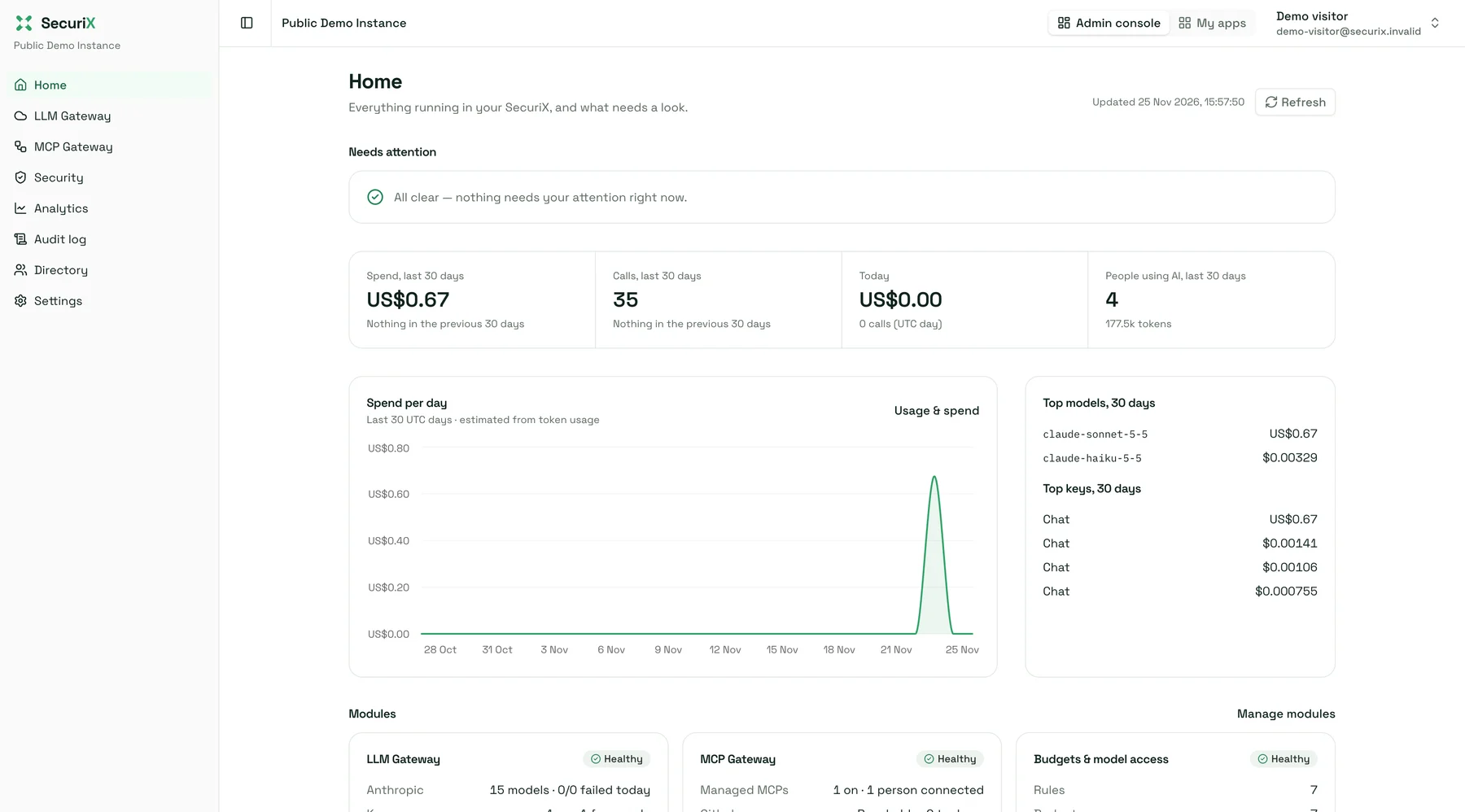
The SecuriX admin console: spend, calls, who is using AI, and the health of each module in one view.
SecuriX is an enterprise LLM gateway that runs on-prem or in your own VPC. It covers the jobs above: SSO and SCIM, team budgets enforced at the gateway, virtual keys, DLP on requests and responses, and an audit trail attributed to identity. You can read the details on the LLM gateway page, and see how it is priced on the pricing page.
Frequently asked questions
Is an LLM gateway the same as an API gateway? No. They overlap on routing and authentication, but an LLM gateway understands tokens, models, prompts and responses. We compare them in LLM gateway vs API gateway.
Does a gateway add latency? Any additional hop adds some, so measure it on your own workload. For most chat and assistant use the inspection and routing time is small next to the model's own response time, but it is a fair question to put to every vendor.
Where does a gateway run? Either as a cloud service operated by the vendor or inside your own environment. That choice matters a lot for compliance, and it is the subject of Self-hosted vs SaaS LLM gateway.
Does it work for AI agents and tools, not just chat? The model traffic part does. Agents that call tools over the Model Context Protocol need the same kind of control on the tool calls, which is what an MCP gateway is for.
See a gateway in front of your own traffic
We will walk through SSO, budgets, DLP and audit using your identity provider and your teams.
See SecuriX in front of your own traffic.
Tell us where to reach you and we'll set up a walkthrough with your identity provider, your policies, and your budget structure.